
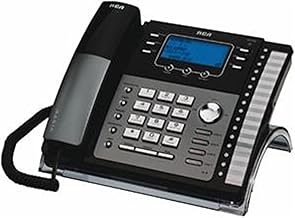
 If you’re searching for RCA phone music on hold, you may be surprised to learn that adding professional messages on hold to your system is easier than you think. Whether you want to sound more professional, improve your caller experience, or promote key services while callers wait, the RCA phone (like the Unison 1000) can be configured to play custom on-hold audio through its built-in Music On Hold settings.
Far too many businesses settle for silence, repetitive beeps, or generic hold music. But every inbound call is an opportunity to educate callers, answer common questions, and reinforce why someone chose your business in the first place.
RCA Phone Music On Hold Setup Is Easier Than You Think
The good news is that the RCA was designed with Music On Hold functionality already built in. By connecting an external audio source, businesses can replace basic hold music with customized messages that provide useful information and create a more polished image.
Instead of leaving callers wondering how long they’ll wait, businesses can use hold time to:
- Explain services callers may not know about
- Answer frequently asked questions
- Promote seasonal specials or events
- Build confidence in your professionalism
- Reduce perceived wait times
When callers hear helpful information instead of dead air or repetitive music, hold time becomes productive rather than frustrating.
Programming Instructions
Programming an RCA phone for custom messages on hold is straightforward. The system allows you to select an external audio source through the Music On Hold menu. According to setup instructions for the RCA phone, the process includes connecting an audio device to the headset port and selecting “Auxiliary In” as the Music On Hold source.
Typical setup steps include:
- Connect your music on hold player or approved audio source to the RCA base station headset port.
- Press the Menu softkey while the phone is idle.
- Navigate to Music On Hold and select it.
- Choose M.O.H. Source.
- Select Auxiliary In to activate your custom hold audio.
Once connected, callers placed on hold will hear your customized content instead of standard music.
It Works Best With Strategic Messaging
Simply playing music is better than silence, but strategically written messages on hold can do much more.
The most effective messages are short, conversational, and focused on the caller’s needs. Instead of long lists of services, callers respond better to information that answers questions and highlights benefits.
For example:
“Did you know many callers are surprised to learn we also provide same-day appointments? Just ask our team how we can help.”
Short messages like this are easier to absorb and help callers feel informed while they wait.
Turn Hold Time Into A Better Caller Experience
Your phone system already handles incoming calls. The question is: what are callers hearing while they wait?
If your RCA phone currently plays generic music—or nothing at all—you may be missing an easy opportunity to sound more professional and keep callers engaged.
Professional messages on hold can help turn ordinary hold time into a better customer experience while helping callers discover services they may not know you offer.
For businesses using an RCA phone, setup is relatively simple, making it easier than ever to replace generic hold audio with customized messaging.
Spring has a way of prompting people to clear out the old and make room for the new. Whether it’s a closet, a garage, or a business strategy, the second quarter has always had that fresh-start energy. It’s no coincidence that Q2 is one of the busiest periods of the year for customer activity—graduations, home projects, hiring, and mid-year planning all pick up at once.
Is your marketing keeping pace?
Callers on hold are already engaged with your business—they’ve made the call. Informer Messages turn that waiting time into a productive moment: a chance to inform, reassure, and remind them why they chose you.
A spring refresh is a great opportunity to:
- Highlight any new services, products, or team members you’ve added this year
- Let callers know about seasonal promotions or upcoming closures
- Point people to helpful resources on your website
- Reinforce the experience and value you deliver every day
If your messages still reflect where your business was at the start of the year—or longer ago—now is the perfect time for an update.
We make it easy. We’ll handle everything for you: we write the scripts, and handle the professional recording and updates.
Feel free to call us anytime: (800) 862-8896, or text us at (203) 655-3920. You can also email us by clicking here.